


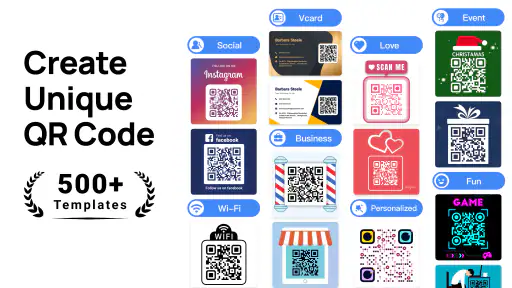
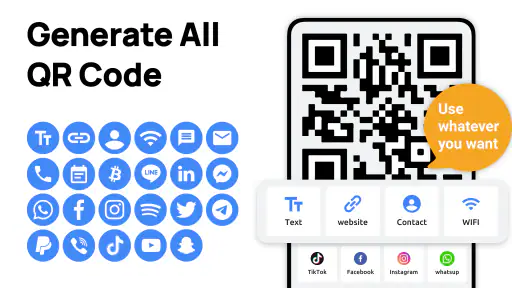
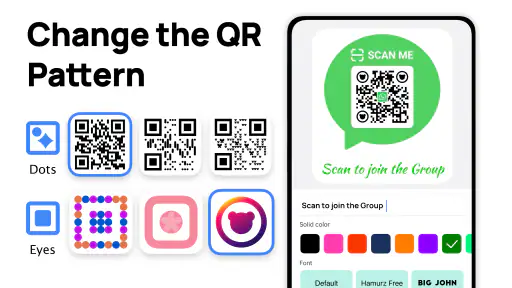
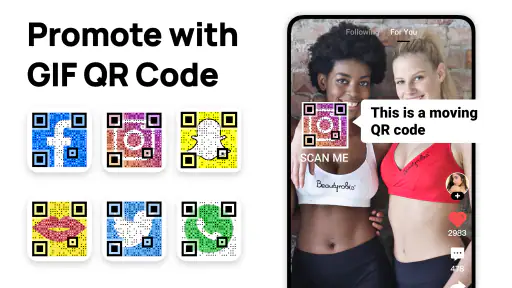
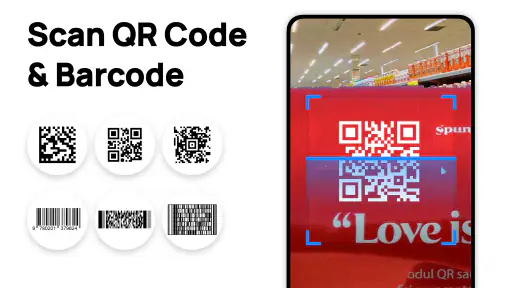
I use QR codes often enough to appreciate a tool that removes unnecessary steps. QR Code Generator - QRHyper is built for that simple job: creating QR codes from an Android phone without turning the process into a design project. It sits in the productivity category, comes from Gulooloo Tech Co., Ltd., and is free to install, with optional in-app purchases ranging from $1.49 to $47.99 per item.
My overall impression is straightforward: this is a practical choice when I need a QR code quickly, want it to look a little more polished than a plain black-and-white square, and do not want to open a desktop design tool. It is less convincing as a complete branding platform or as the only tool for a business that needs advanced campaign tracking, team controls, or detailed analytics.
How QRHyper feels in everyday use
The app’s main appeal is its focused purpose. Rather than making me work through a broad productivity suite, it keeps attention on generating a scannable code. That makes it useful for sharing a website, contact detail, message, or other supported information in situations where copying and typing would be inconvenient.
A realistic example is a small event. I could prepare a code for an online registration page, place it on a printed notice, and let visitors scan it with their phones. The same workflow works for a home seller sharing a property page, a tutor directing students to a resource, or a small shop placing a digital menu near the counter. In each case, the value is not the code itself; it is the reduction in friction between a physical surface and digital information.
The store summary emphasizes stylish QR codes that remain scannable and do not expire. I would still treat that promise sensibly. A QR code can remain useful only while the destination behind it continues to work. If it points directly to a page that is later deleted, changing the image will not repair the broken destination. For important printed material, I recommend testing the final exported image from the same distance and angle at which people will actually scan it.
That small test is more important than making the design as decorative as possible. A code that looks attractive but scans poorly is a failed piece of communication. I prefer to begin with a restrained style, check it with more than one phone if possible, and only then add visual adjustments. This is one of the app’s most practical lessons: appearance should support scanning, not compete with it.
Who will get the most from it
QRHyper is a good fit for people who need occasional, self-contained QR creation. Students can use it for project posters or presentation handouts. Freelancers can add a code to a printed card. Families can share a location or a digital invitation without asking everyone to type a long address. Small organizations may find it convenient for simple notices where a full marketing platform would be excessive.
It is also appealing to users who prefer working entirely on a phone. I do not need to move a small task to a laptop, search for a web generator, or use a general image editor just to produce a code. That convenience matters when the final result is needed immediately, especially before printing or sharing.
The Everyone content rating makes the app approachable for a broad audience. Its minimum operating-system requirement is Android 6.0, so it is not limited to only recent devices. The current version is 1.02.72.0821, which gives existing users a clear reference point when checking whether their installation is current.
Where it is more useful than the usual alternatives
Compared with a basic website generator, a dedicated mobile app feels better when I am already holding my phone and want to create something without opening a browser tab. A web tool may be faster for someone working at a computer, but it can involve distracting advertisements, multiple download prompts, or a less comfortable mobile layout. QRHyper’s focused identity gives it an advantage for quick, phone-first tasks.
Compared with a full graphic-design app, it is also less intimidating. Design software gives me more control over layouts, typography, and brand elements, but that flexibility can be unnecessary when the goal is one functional code. QRHyper is better when the code is the central object rather than one small element in a larger poster.
The trade-off is control. A professional design suite is usually the better choice when I need precise print dimensions, layered artwork, brand guidelines, or a complete campaign asset. QRHyper should be viewed as a QR creation tool with styling potential, not as a replacement for a full visual-production workflow.
Small workflow choices that make a big difference
My first recommendation is to separate the content decision from the visual decision. Before changing colors or adding decoration, I make sure the destination is final and easy to reach. If the code is going on a poster, I also consider whether the page will work well on a phone, because a successful scan is only the first half of the experience.
My second recommendation is to keep a simple original version. If I create several styled variations, I retain a plain version as a reference. That gives me a fallback if a decorative version becomes difficult to scan after resizing or printing. It also makes it easier to compare whether a visual change genuinely improves the result.
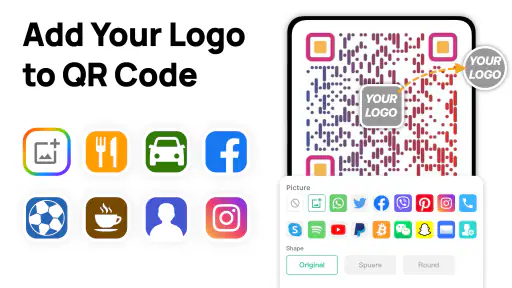
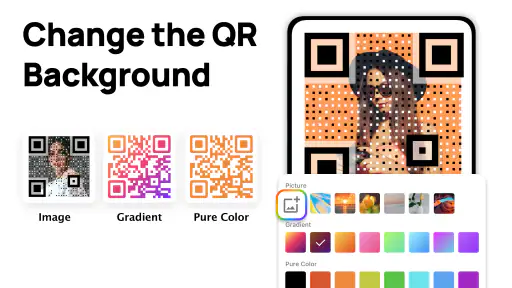
A third useful habit is to test the code after every major change rather than only at the end. Cropping, adding a logo-like element, reducing contrast, or placing the image on a textured background can affect reliability. Testing early prevents me from discovering a problem after a batch of prints has already been made.
I also pay attention to the physical setting. A code intended for a phone screen can tolerate a different presentation from one displayed on a wall several steps away. For a distant poster, I leave generous space around the code and avoid shrinking it to make room for unnecessary decoration. That is not a glamorous feature, but it is the kind of practical judgment that determines whether the app’s output works outside the editor.
What the current release tells me
The app was released on Jul 28, 2020, and its current version shows that the product has continued to receive updates rather than remaining frozen at its original launch. I would interpret that as useful evidence of ongoing maintenance, but not as proof that it covers every modern QR workflow. A version number alone cannot tell me whether a particular feature has changed, so I judge the present experience by how well it handles the core task.
That distinction matters for existing users. Someone who already installed QRHyper may notice that the app’s current behavior reflects continued development, while the basic reason for using it remains familiar: generate a code, adjust its presentation when appropriate, and use the result elsewhere. I would not update solely because a version number is newer; I would update when I need the current compatibility and behavior, especially before preparing an important printed item.
The app’s audience appears substantial, with over five million installs, an average rating of 4.8, and around eighty-one thousand ratings. Those figures suggest that the straightforward workflow resonates with many users. They do not remove the need for personal testing, though. A high average is encouraging, but my own decision would still depend on whether the app handles the type of QR content and visual output I need.
There are also around one thousand four hundred written reviews, which can be more useful than a headline rating when evaluating friction. I would look for comments related to scanning, saving, customization, and the behavior of paid options. Written feedback is especially valuable here because QR creation can feel excellent for a simple personal use while being insufficient for a more demanding business workflow.
Costs, expectations, and the free starting point
The free price makes it easy to try the basic experience before deciding whether the app belongs in my regular toolkit. That is important because QR creation is a crowded space, and many people only need it once or twice. I would not pay for extras until I had confirmed that the generated result scans reliably and fits my intended use.
Optional purchases range from $1.49 to $47.99 per item, so I would inspect each purchase screen carefully rather than assuming every useful function is included at no cost. The wide range suggests that some options may be aimed at different levels of use, but I would judge them by a specific need: repeated creation, more elaborate styling, or another capability that saves enough time to justify the expense.
For casual users, the free starting point is likely the sensible route. For someone producing codes regularly, the decision should be based on the total workflow rather than on appearance alone. If a paid option does not improve reliability, speed, or the final material in a meaningful way, I would keep using the free path or choose another tool.
Limitations I would consider before relying on it
The first limitation is scope. A generator can create the visual bridge to information, but it is not automatically a replacement for link management. If I need to change a destination after printing without replacing the code, I would look for a service designed around managed or dynamic links rather than assume a static generator provides that capability.
The second limitation is measurement. For a personal invitation, scan counts may not matter. For a campaign, store promotion, or event funnel, I may need detailed analytics, editable destinations, audience segmentation, or campaign attribution. In that situation, a dedicated marketing platform is a better fit, even if its QR creation feels less convenient.
The third limitation is production control. A code placed into a larger brochure may need exact dimensions, color specifications, bleed considerations, and repeatable brand treatment. I would create the code in QRHyper if it is convenient, then move it into a proper layout tool for the final document. The app can be one step in that process without being the entire process.
I would also skip it if I need a heavily automated professional workflow. Someone generating large numbers of codes from a spreadsheet, managing them across a team, or maintaining a central library should search for a platform built around those requirements. QRHyper makes more sense for direct, individual creation than for a structured content operation.
Questions I would answer before installing
If I only need one code, I would still try the app because the free entry point keeps the experiment low-risk. The important question is whether the result can be used where I need it: on paper, on a screen, or inside another design. I would generate a test, scan it immediately, and check the destination on the actual device that will receive it.
If I am concerned about expiration, I would distinguish between the code image and its destination. The image itself can remain usable, but the linked page, file, or service must remain available. For long-lived printed material, I would use a destination I control and avoid tying the code to a temporary page that may disappear.
If I want a stylish result, I would make changes gradually. Strong contrast, clear empty space around the code, and a sensible size matter more than decoration. I would never assume that a design is safe merely because it looks balanced in the preview; the final test should happen after saving, resizing, and placing it in its intended context.
If I am using an older Android phone, the minimum requirement of Android 6.0 is reassuring, although real-world comfort can still depend on the device. I would leave enough storage and keep the operating system in a stable state before preparing an important asset. For iPhone users, I would choose a comparable iOS tool instead, since this particular product is presented as an Android app.
If I am deciding between QRHyper and a browser-based generator, I would choose QRHyper for repeated phone-based tasks and a browser tool for quick desktop work. If I am deciding between QRHyper and a design suite, I would choose the app for a standalone code and the suite when the code must be part of a carefully controlled publication.
What I would watch in future use
For current users, I would pay attention to how future releases affect compatibility, export behavior, styling, and the balance between free tools and optional purchases. The app’s ongoing version history is encouraging, but my standard would remain practical: updates should make it easier to create a dependable code, not merely add visual distractions.
I would also watch whether the app continues to serve both occasional users and people with more demanding needs without making the simple workflow harder. That balance is difficult. More options can help experienced creators, but too many panels and purchase prompts can undermine the quick experience that makes a dedicated generator attractive in the first place.
After using it, my recommendation is fairly clear. QRHyper is worth trying when you need a convenient Android-based QR maker with room for visual customization. It is especially suitable for personal sharing, small events, school materials, and lightweight business tasks. I would not make it my only solution for analytics-heavy campaigns, managed links, team production, or precision print design.
Its strongest quality is focus: it turns a small but often annoying task into something I can handle directly from my phone. Its main weakness is the same focus, because users who need campaign management or professional publishing tools will quickly outgrow it. With sensible testing and restrained design choices, the free version offers a practical starting point, while the optional purchases deserve a needs-based decision rather than an automatic upgrade.


